


LOCATION AND OPENING HOURS
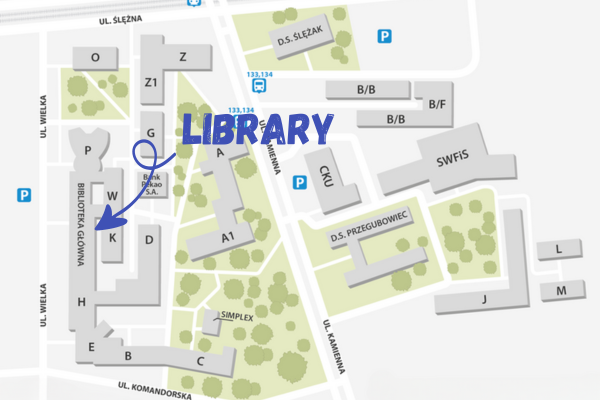
The Library consists of the combined U and W buildings marked on the map. The main entrance is from Wielka Street. There are secondary entrances from the campus side and the P and H buildings.
You can find all the important information on the Library’s website: http://www.bg.uew.pl/
The Library is fully adapted for people with disabilities. It is equipped with facilities including wheelchair ramps, an induction loop and a study booth with appropriate equipment.
All information regarding our activities is posted on our website and social media.
For students of other universities
After submitting the form, you can activate your account and encode your ID card with the librarian on duty.
LIBRARY REGISTRATION:for UEW students.
Step 1 Complete and submit the registration form https://katalog.ue.wroc.pl/registration)
Step 2 Activate your Library account within 14 business days
Step 3 During your next visit to the Library, encode your student ID as a library card or generate a Reader’s Card in your library account..
From the moment your account is activated and your ID card is encoded, you will be fully able to use the Library’s paper and electronic resources.
You can also find your library card as a barcode and QR code in your library account. By displaying this card on your phone, you can also pick up books from the book vending machine.
For students from other universities
If you are a student at one of the universities listed in Wroclaw, you can use our collections on the same terms as UEW students. When activating your account, you must present a commitment card from your home university along with your electronic student ID card.
COLLECTIONS AND RESOURCES
The book collection is arranged thematically on three floors marked with corresponding colors: green, orange and yellow.
Part of the book collection is also in storage.
1st floor – green – collections in the following fields: philosophy, history, linguistics, pedagogy, psychology, social sciences, art, physical culture, journals and Scientific Information space.
2nd floor – orange – collections on finance, accounting, marketing, management and human resource management
3rd floor – yellow – collections from economic sciences, biological sciences, chemical sciences, physics, astronomy, earth sciences, geography, computer science, mathematics, applied sciences, law, politics, agricultural and food sciences, statistics, and demography.
The Library offers students remote access to licensed databases and electronic resources.
Access to some economic and full-text databases can be established by setting up a proxy server.
Proxy configuration instructions: https://bg.uew.pl/zbiory/zasoby/zdalny-dostep-proxy/
Activation codes, or PINs, for Ibuka Libra can now be downloaded after logging in to the Integro library catalog. Each user can download ONLY 1 code. Code validity can be found in your library account. Read more

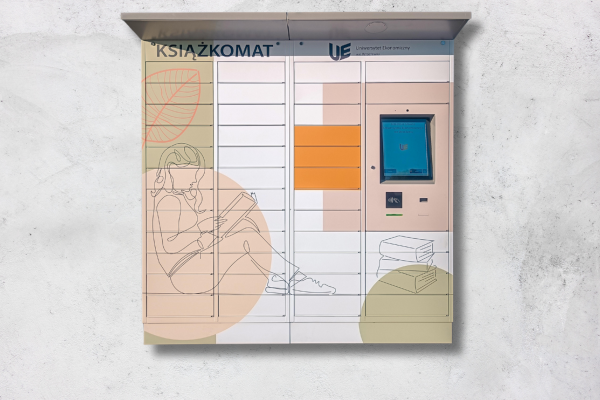
Library parcel locker – allows picking up ordered books 24/7. It’s located at the main entrance to the Library, Wielka Street.
When ordering books through the catalogue, select the order pickup location the Library Book Locker. To pick up your books, you must have an ID card or a dedicated app: https://lib.arfido.com/uewr/app/holditems/. You can pick up your ordered books within 4 days.
LENDING AND RETURN OF BOOKS
You can borrow books by ordering them through your Library catalogue account and directly by searching for them on the shelves.
Lending by catalog
Log in to your library account at https://katalog.ue.wroc.pl/.
Search for an item of interest:
- Books with location Warehouse are ordered through the catalogue and picked up at the lending room or Library parcel locker within four business days.
- A book with a floor location (1st floor, 2nd floor, etc.) can also be ordered to the parcel locker or lending room, but only during the Library’s closing hours.
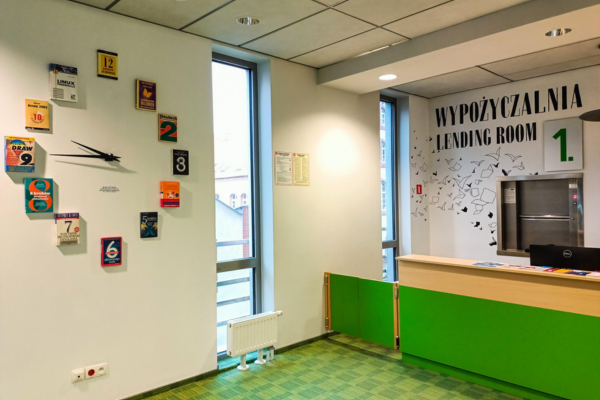
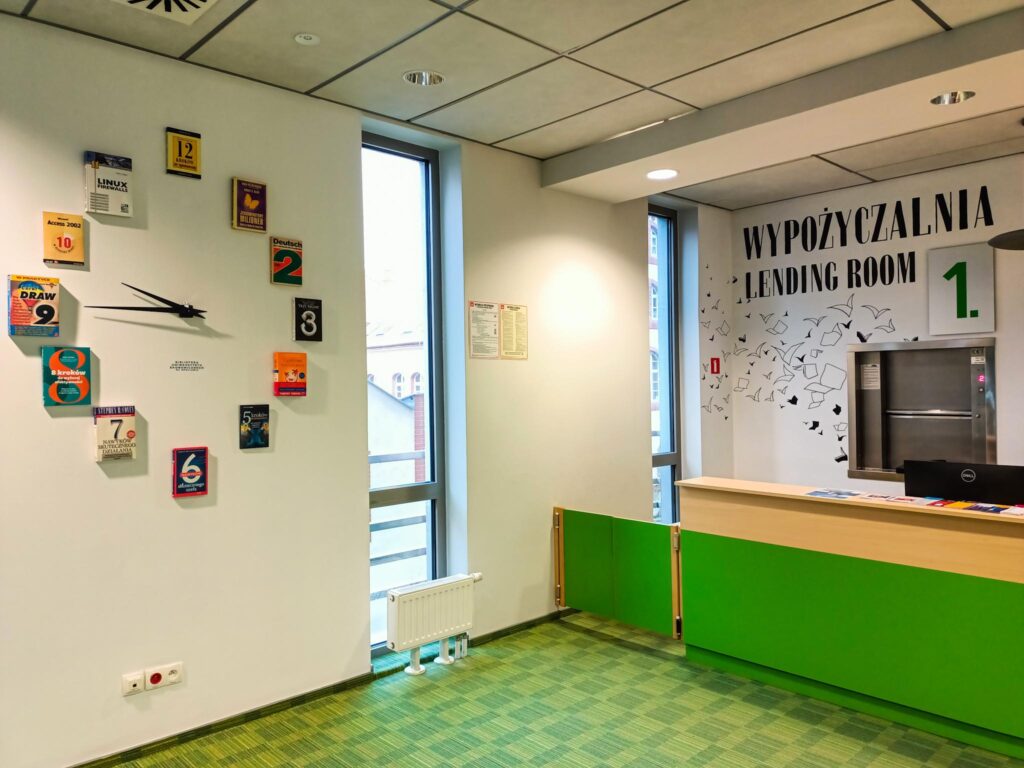
The lending room, where you pick up books ordered through your library account, is located on the 1st floor of the U building.
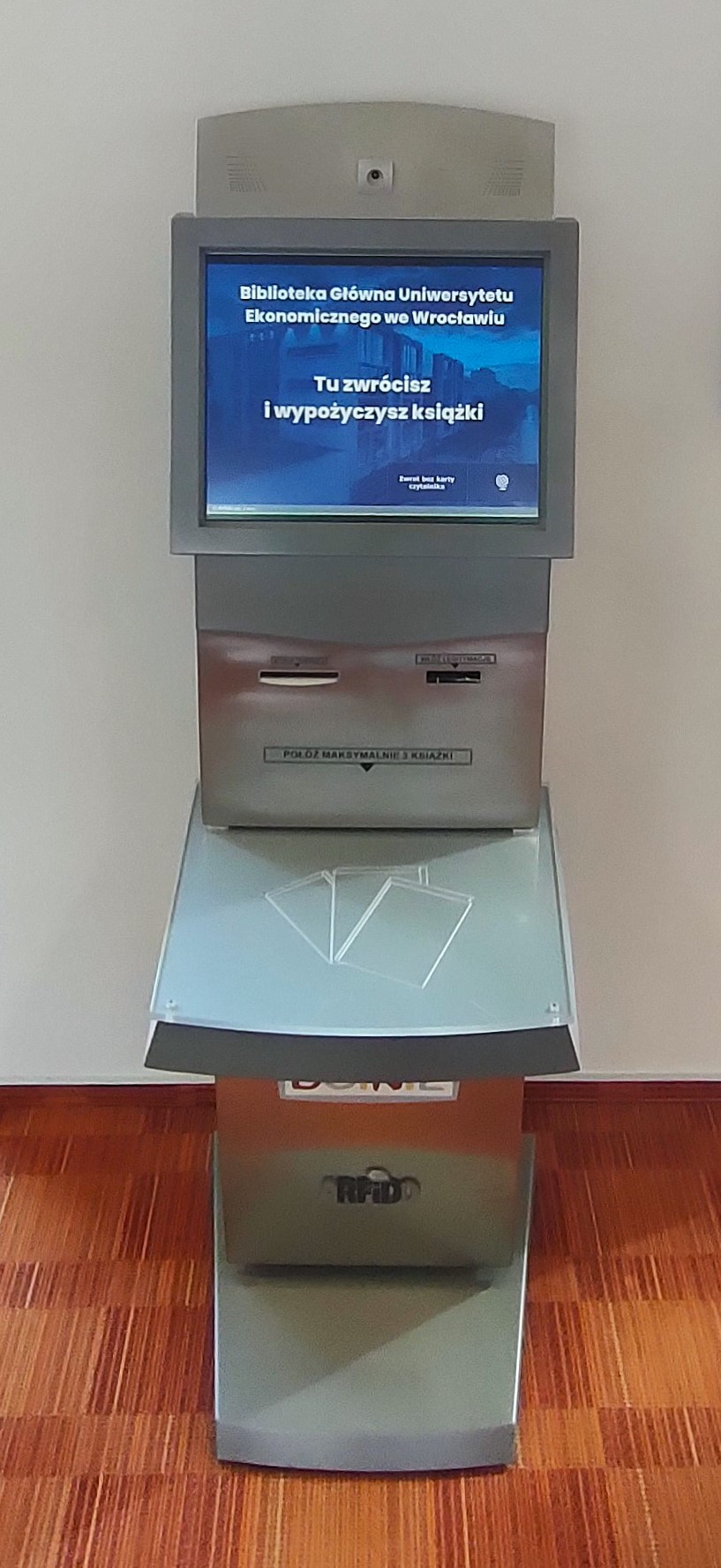
Self-checks, where you borrow books on your own, are located at the entrance to the 1st, 2nd and 3rd floors of the Library. To borrow a book, simply:
- Put the book on the device
- Insert your library card (student ID)
- On the screen, click LOAN
ON-SITE RENTAL
- To find a book you are interested in on the shelf, look in the catalogue for the book’s signature and the floor where the book is located. This way, you will find it on the shelf.
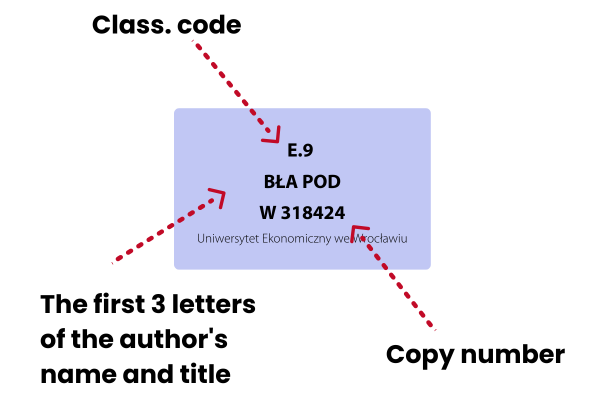
Signature – a combination of numbers and letters identifying a particular book copy located on the back cover of the book, e.g. G.8.1.1 BEN BAR W 322387, location: 3rd floor.
- Once you have found the book you are interested in on the shelf (the stripe on the spine corresponds to the colour of the floor), you can immediately borrow it via Selfcheck.
- Remember that books marked with a red stripe can be used only on the spot.
How many books can borrow?
- UEW students – 10 books
- students of 2 majors at UEW – 20 books
- members of scientific circles – 17 books
You rent books for 3 months!
Return of books
Lending room – during the opening hours of the Library, books can be returned in the lending room on the 1st floor or by Self-Check stands.
Drop Box – On the right side of the Library’s main entrance, there is a 24/7 drop box, where you can return books, even without an ID. You can find instructions on how to use the drop box here.
Self-check stations are located at the entrances to each floor and are available during Library opening hours. After returning books, please place them on the trolley next to the machine.
When the return date of the book is approaching, but you don’t want to bring it back yet, you can extend it. A prolongation is an extension of the deadline for returning a book. You can do it yourself using your library account (only if it’s not past the return date) or in person at the librarian on duty.
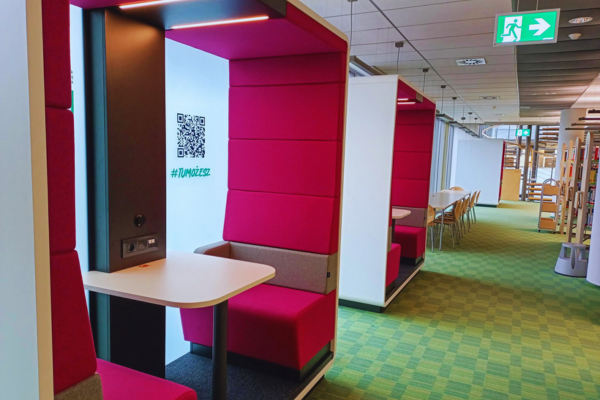
There are 14 study rooms (cabins) for individual and group work (2nd, 3rd floor), including three free-standing cubicles on the 1st floor.
Library Workspace
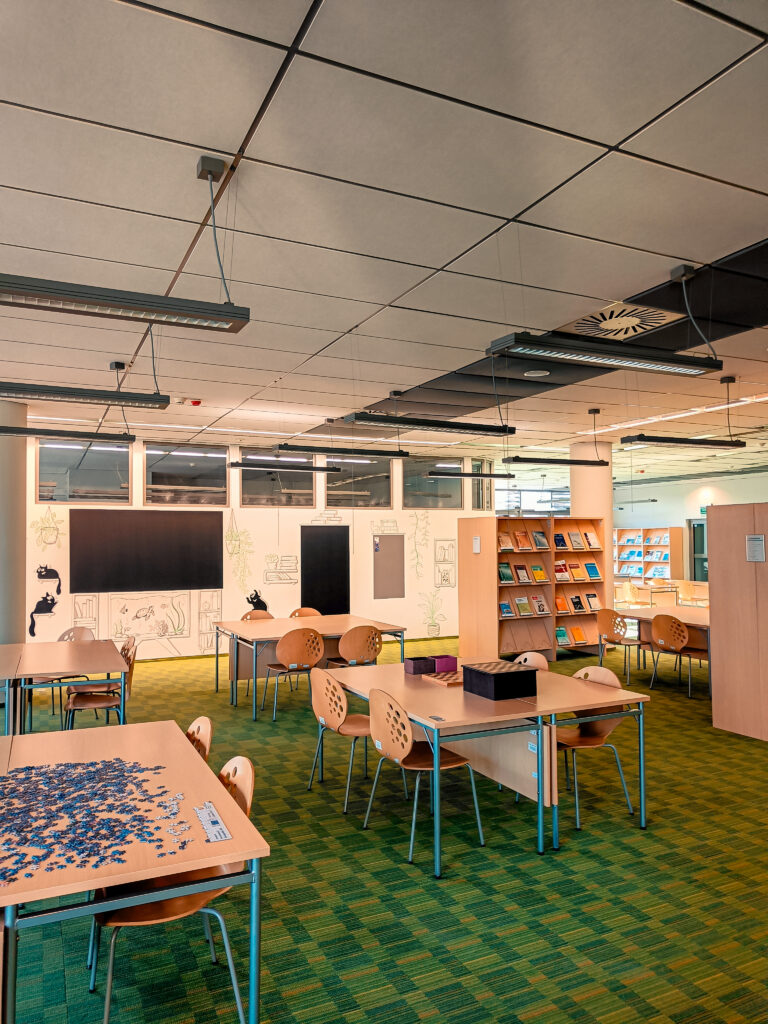
In the Library, you will find dedicated places to study and work independently or in groups.
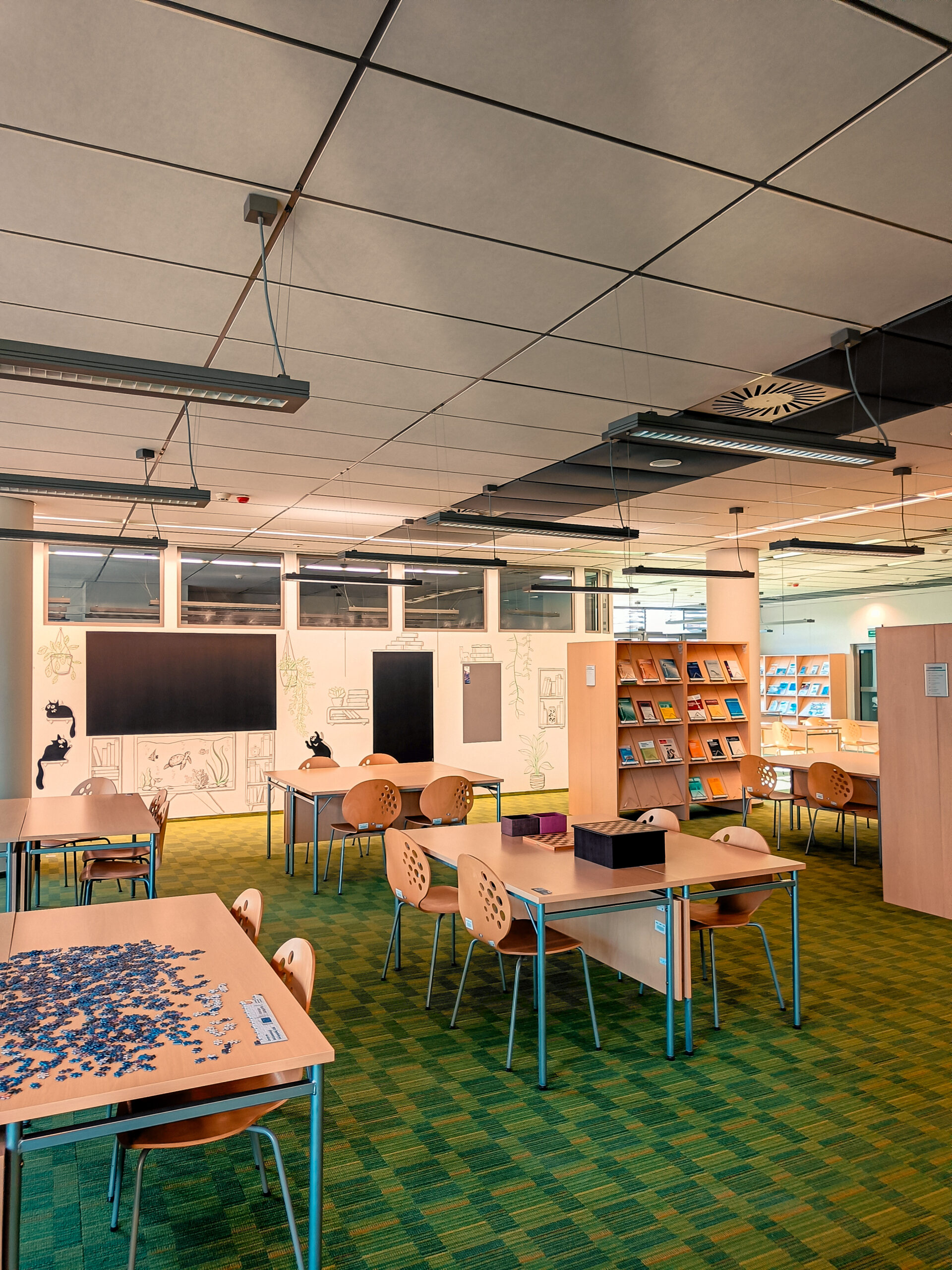
The 1st floor is a space for group work and relaxation between classes with a “Free Talk Zone”.
On the 2nd and 3rd floors, you can find regular library space and additional study rooms (cabins) for isolated group work. The Library has online server terminals and space to bring your device, which you can connect to the university’s eduroam network.
- You can book a study room (cabins) for hours, days, or a whole week.
- You can reserve a study room through the dedicated app: http://rezerwacjakabin.bg.ue.wroc.pl/
- You can bring any necessary literature to the study room.
- After finishing your work for the day, you can leave your books with the librarian on duty. You will be able to use them the next day.
SCIENTIFIC INFORMATION SPACE ON THE 1ST FLOOR
It’s a convenient place for individual and group study that also provides access to:
- Economic databases: EMIS, STATISTA, ORBIS, full-text databases: Emerald, Springer, EBSCO and bibliometric: Web of Science or Scopus.
- Standards (PKN Knowledge database),
- workstations to work with the LSEG Workspace database,
- financial statements,
- legal information and other sources useful for writing a paper,
- Digital and paper versions of the journals
In Scientific Information, you can get help from an SIN staff member, apply for on-site or remote training in using databases, and finding sources for your work.
SIN staff will also help you search for a preliminary bibliography for your paper. Just, fill out the form: https://bg.uew.pl/uslugi/zapytaj-o-zestawienie-bibliograficzne/
You can also take advantage of Scientific Information by writing to the following email address: [email protected]
CONTACT
For any issue, you can contact the Library via Facebook or email.
Facebook: Library of the University of Economics in Wroclaw
Rental: e-mail: [email protected], tel. 071 36 80 471
Scientific Information: email: [email protected], tel. 071 36 80 951
We invite you to follow our social media, library home page https://bg.uew.pl/, library intranet page https://uewrc.sharepoint.com/sites/bibliotekaUEW
There you will find all the latest information.